
adamgbanks.co.uk
UAL User Research: 18 Jun, 2025



5 participants were interviewed by Adam Banks ("the researcher") at UAL's Holborn office.
The participants were a mix of various admin and operational roles at UAL.
The researcher used a script to guide the conversations, but the participants were encouraged to talk freely and include any information they felt relevant.
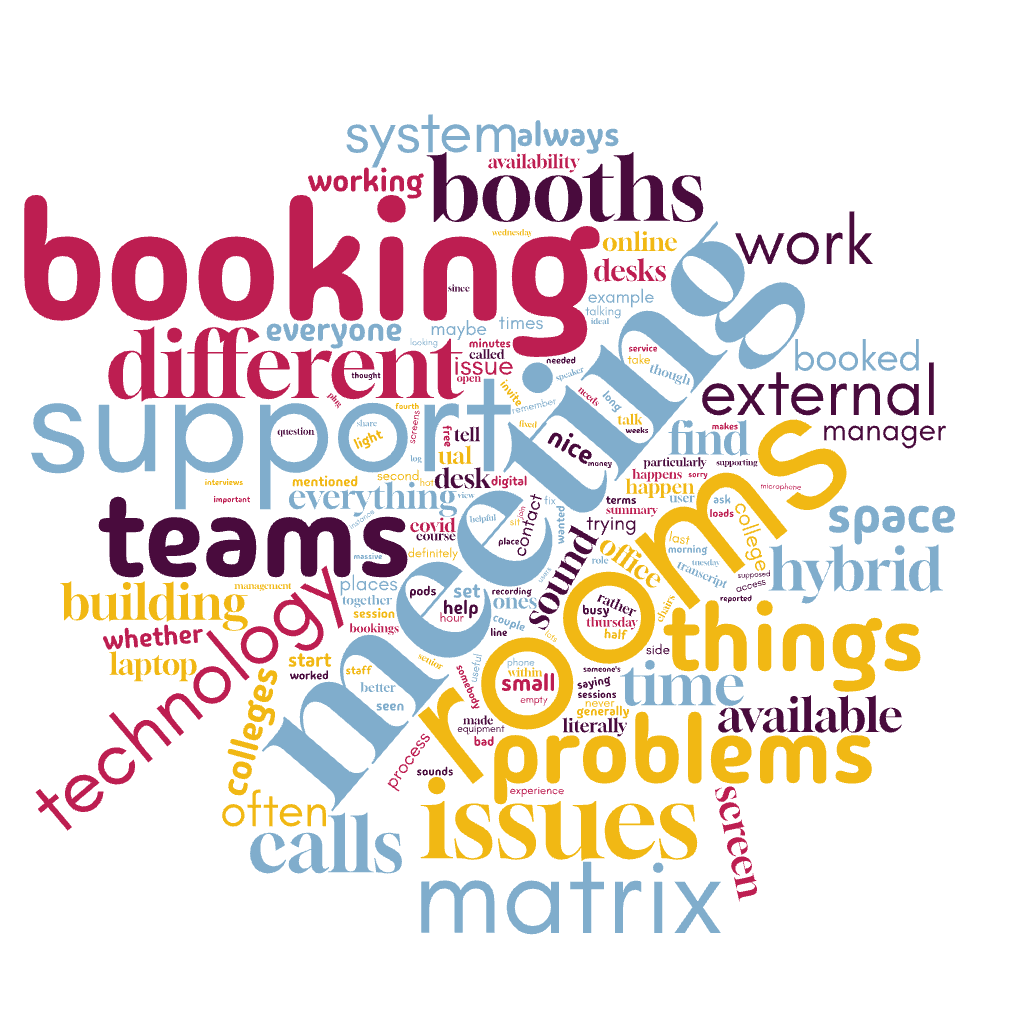
Transcripts from the conversation were used as the basis of a thematic analysis, focusing on meeting spaces & technology but also including anything that came up during the sessions.
 RECOMMENDATIONS
These are user-led recommendations - things learned from the study that UAL can consider implementing. This also includes areas for further study, to better refine UAL's facilities and technology through deeper, more-detailed investigation.
 PRESENTATION
A slide deck presenting the main points learned in this study.
 REPORT
A detailed report, highlighting everything learned in detail. The report is presented by THEMES - explaining and evidencing everything learned from the 300+ minutes of interview.
 AUDIO
AUDIO
An experimental way of presenting the report data: an AI-generated conversation where two hosts discuss the study findings.
Recommendations from the researcher, based on information learned during this study
Everything below was learned directly from the participants in this study
These recommendations are not concerned with practicality nor feasibility - only with what users need.
Deeper study
As this was the first study, it was necessarily high-level. A second, similar study would be more targeted on the areas learned here and would allow us to dig deeper into issues raised.
Investigate "Ghost Bookings"
Conduct further study into the prevalence and impact of meeting rooms being booked but not used, exploring potential automated solutions such as movement sensors or improved check-in/release systems to free up spaces
Optimise Teaching Room Availability
Research methods to increase the availability and bookability of teaching rooms for non-teaching meetings and events, exploring how timetabling services can be more flexible without compromising academic priorities
Evaluate Hybrid Meeting Engagement
Further assess how hybrid meeting setups impact engagement and participation, particularly for remote attendees, to inform future design and technology choices that foster more equitable interaction
Standardise Equipment
Implement uniform audio-visual (AV) technology across all meeting rooms to simplify the user experience and reduce IT support complexities. This uniformity should allow for adaptable configurations (e.g., additional microphones or speakers) in larger spaces to maintain consistent sound quality.
Improve Sound Quality and Isolation
Address existing issues with sound leakage and poor room acoustics, especially in areas with glass walls, by improving sound deadening and strategically placing acoustic materials. This is a common and ongoing complaint.
Ensure consistent and reliable audio functionality for hybrid meetings, resolving technical glitches that prevent participants from hearing or being heard clearly.
Ensure Reliable Connectivity and Power
Verify that all plug sockets in meeting rooms and collaborative areas (like 'Wendy houses') are functional and easily accessible, avoiding floor-level or hard-to-reach outlets.
Provide necessary adapters (e.g., HDMI) as standard equipment in meeting rooms to accommodate various devices, reducing the burden on users to bring their own.
Enhance IT Support Processes
Maintain and potentially expand the use of Teams room admin portals for proactive monitoring and early detection of AV issues, allowing IT to resolve problems before users encounter them.
Establish a clear, rapid, and reliable IT support process for urgent in-meeting technical issues, potentially including a dedicated emergency contact or on-site support to avoid delays caused by traditional ticket logging.
Maintain Booth Technology
Ensure lights, air conditioning, and power sockets are consistently functional in all meeting booths and pods to support their intended use.
Increase Meeting Space Availability
Increase the number of dedicated meeting rooms, especially larger ones capable of accommodating significant groups, to meet the high demand for various meeting sizes and types.
Significantly increase the number of private booths and pods, prioritising comfortable sit-down options over standing ones, and ensuring all are accessible and fully equipped with working power outlets.
Re-evaluate current booking policies for underutilised teaching rooms, aiming to maximise their availability for general meetings during non-teaching hours.
Optimise Room Design and Comfort
Prioritise comfortable, flexible, and easily movable furniture (chairs and desks) to allow for diverse meeting setups and adaptability to user preferences.
Incorporate ample natural light and improve overall lighting quality in rooms, addressing sensitivities for neurodivergent individuals and ensuring a pleasant environment.
Address persistent temperature control issues across buildings to ensure comfortable conditions for all users, avoiding extremes of heat or cold.
Investigate and mitigate dust issues in office and meeting spaces, which can affect staff with respiratory conditions.
Enhance Aesthetics and Amenities
Improve the aesthetics of office and meeting spaces by incorporating more colour and prominently displaying student artwork, creating a more inspiring and welcoming environment that reflects the university's identity.
Provide basic amenities such as water stations (ideally within rooms) and ensure consistently stocked kitchen supplies (e.g., plates, glasses, cutlery) in shared areas.
Improve Wayfinding
Implement clear and consistent signposting and wayfinding solutions within and across all UAL buildings to help users, especially visitors and those unfamiliar with a college, easily locate meeting rooms and facilities.
Centralised and User-Friendly Booking System
Develop a single, comprehensive, and centralised booking system for all meeting rooms and spaces across all UAL colleges, replacing disparate systems and reliance on email communication.
Integrate the booking system with user calendars for automatic syncing and reminders.
Include detailed information for each room within the booking system, such as photos/videos, 3D/4D views, capacity, accessibility details, and available resources (e.g., flip chart paper, stationary).
Allow for booking of additional resources (e.g., stationary, catering) directly through the main booking system.
Implement an effective automated check-in and release system for booked rooms to reduce "ghost bookings" without inconveniencing users or PAs who book for others.
Streamline External Event Booking
Simplify the process for booking large internal venues for non-teaching events, allowing for earlier confirmation and reducing reliance on costly external venues.
Promote Responsible Booking Culture
Actively encourage users to release meeting room bookings if they are cancelled or no longer needed, fostering a more considerate and efficient use of shared resources.
Optimise Desk Booking/Usage
Re-evaluate the desk booking system (e.g., potentially allowing a "rock up" approach) and standardise desk setups to improve the hot-desking experience and reduce issues arising from varied technology configurations.
Implement Meeting Buffers
Encourage a 50 or 55-minute meeting culture to create built-in buffer time between sessions, allowing for setup, tech checks, and smooth transitions between bookings.
Empower Building User Group
Grant the Building User Group more authority and resources to implement decisions and address recurrent issues, moving beyond just raising problems repeatedly.
Clear Communication of Room Policies
Clearly communicate specific policies for certain rooms (e.g., those not suitable for confidential conversations) and provide transparent information on who to contact for rooms not listed on the main booking system.
Report for UAL Internal Technology Team:
Meeting Spaces and Technology User Feedback
This report synthesises feedback from five UAL administrative staff members regarding their experiences with meeting rooms, booking systems, meeting room technology, and Microsoft Teams.
The aim is to highlight key areas for improvement to inform future development and renovation efforts.
1. Meeting Rooms (Physical Spaces & Availability)
Lack of Availability (perceived or actual)
Despite the number of rooms, users frequently struggle to find available spaces, particularly on busy days like Tuesdays, Wednesdays, and Thursdays. This is often attributed to booking practices rather than an actual shortage of rooms.
"If we walked around now, I guarantee you you will find four or five rooms that have been booked that are not being used."
(Participant 1, 3m 49s)
"People moan that there's not enough meeting rooms. But this fundamentally, it's about how they're being used. Someone will say, can you book this? Because I'm doing that. And they won't tell their PA that they've actually cancelled the meeting or it's been rescheduled. So the room just sits there, you know, and no one else can book it."
(Participant 1, 4m 9s)
"The biggest criticism we get is not enough meeting room space. There is. We don't do it on Monday, we don't do it on Friday. And people book rooms, don't use them. But that's it."
(Participant 1, 30m 17s)
"Trying to book a meeting room, you just have to do it quite a bit in advance. But if you've got an impromptu meeting, it's very difficult to find space these days."
(Participant 5, 2m 12s)
Acoustics and Soundproofing
There are significant issues with sound quality and leakage in many meeting rooms, particularly those with glass walls.This impacts the quality of meetings and confidentiality.
"Some of the rooms. No, because I'm in Here, there's one on the fifth floor and it's quite a long room and you've got. So you got the unit and you've got obviously the TV at the end of the camera, but there's glass on one side, windows on the other. So the sounds, it sounds very sort of hollow, very tinny."
(Participant 1, 21m 10s)
"The acoustics aren't great because. Purely because it's glass, you know, it's a thin room, you've got glass on the side."
(Participant 1, 22m 32s)
"I think some of the rooms need to be soundproofed better. Especially on fourth floor. There's not a lot of soundproofing between those rooms."
(Participant 3, 18m 33s)
Room Design & Furniture
Users expressed a desire for larger rooms to accommodate big meetings and adaptable furniture that can be easily rearranged for different session formats.
"One of the complaints, some of the feedback we get is that there are some meetings that are massive and there aren't enough rooms that can accommodate that."
(Participant 1, 24m 37s)
"Desks that are easy to move. Sometimes they're just not. And often different facilitators want different things. Like some people want to have those different separate desks with like three or four chairs around them. Sometimes people want them all together. Sometimes people don't want desks at all, they just want a circle of chairs. So things are really easy to move."
(Participant 2, 28m 1s)
Booths and Pods: There is a critical shortage of functional private booths and pods for individual or small-group calls, which often impacts staff's decision to come into the office. Many existing pods are reportedly faulty, lacking working air conditioning, lights, or power sockets.
"The lack of meeting rooms and particularly the lack of booths and pods really does impact people's behavior. And when they come in or not, you'll often hear people be like, oh, I was going to come in that. I was going to be in a bubble pod all day. So because they were team, back to back teams calls, they're not that inspiring to be in all day. There's just not enough of them."
(Participant 4, 3m 59s)
"Nearly all of them. The air con fan system doesn't work, so they get very warm after a while. Half of the lights don't work, half of the power sockets often don't work."
(Participant 4, 5m 11s)
"People hate using the standing booths. Yes. It kind of makes sense to have another couple on the night floor if people quickly want to just quickly take a call when they're working up there for example. But yeah, people would way way rather remove them and have sit down booths."
(Participant 4, 25m 37s)
"The trouble is if people use the pods, some people who come into the office will use the pods as a desk."
(Participant 5, 11m 36s)
2. Room Booking Systems
Inconsistency and Fragmentation
Users report a fragmented booking landscape with multiple, disparate systems (Matrix, ?Cell CAT?, direct emails to college timetabling teams). This leads to confusion and inefficiency.
"The problem is that there's a lot of like separate moving parts. It's not all brought onto one system. So even when you're trying to book. So for example, if you're booking a room here, you do it by this website called Matrix. But then if you do it one of the different colleges, there's different emails for all the different colleges, the different timetabling services, but then can't book the college rooms yourself, you have to contact someone."
(Participant 2, 8m 55s)
"Not all meeting rooms are on Matrix, so that's where it gets a bit confusing. You're having to like message individual teams to try and get them booked."
(Participant 3, 3m 47s)
"It's a pain availability booking it itself if it's available, not too bad. But if you have any problems with the matrix system, the tech support is non existent."
(Participant 4, 8m 34s)
"We ended up with. I think we ended up with a lecture theatre and another big room. I can't really remember, I don't know, I don't think it was Chelsea. But smaller breakout rooms where you want to go and do workshops, so that people aren't just sitting listening to people the whole time in the lecture theatre, because people switch off after a while. So that's why they try and organise breakout sessions, you know, workshops and things. We just couldn't get small spaces."
(Participant 5, 19m 57s)
Lack of Information & Visibility
Staff struggle to find basic information about rooms (e.g., photos, accessibility details, available resources like flip chart paper, room capacity) and who to contact for rooms not listed on central systems.
"There's a bit of a lack of understanding what's actually available at the different colleges because you kind of email them and they might ask you what your room you want because you don't know that college."
(Participant 2, 10m 22s)
"There's no, like, clear descriptions of the rooms being like, oh, this is accessible school by lift, or like X, Y and Z. And there's also not clear sort of descriptions to what's in the room. So you might like email be like, oh, we need some flip chart paper. And they're, oh, you can't. We haven't got that. We don't offer that as a college. You have to organize yourself."
(Participant 2, 11m 15s)
"I don't find ?cellcat? very easy to use."
(Participant 3, 20m 25s)
"Even if there was just like information on there about. About rooms that you maybe can't book on Matrix, but they still had information about, like, you know, this is. Here's a room, here's the capacity, etc. If you want to book this, this is who you contact. Just there's a bit more visibility about rooms. What rooms are actually there actually are in Holburn."
(Participant 3, 20m 52s)
Booking Practices
The issue of rooms being booked but not used is a significant problem, leading to artificial scarcity. Attempts to implement automatic release systems have failed or created new issues.
"I know one time there was. There was some talk about having it. So you. There'd be a, like an iPad probably outside screen and you yeah, you know. You basically, when you come in for your booking, you sign in. And if you don't sign in, then it releases the booking, which is great to a point. But if you forget to sign in and then someone else books the room, you've then got two groups of people both claiming they booked the room together."
(Participant 1, 4m 55s)
"This new system whereby you have to literally log in to start the meeting through something on the door. And I think there was something on the table. She hadn't done that. She didn't realise it was brand new and the room thought, oh, you haven't turned up. So cancelled the meeting because she was actually using her laptop, not the main screen and somebody else booked the room."
(Participant 5, 7m 50s)
"It's just frustrating when people book a room, don't cancel it because they're not using it. And then you, you don't realize and you think, well, I can see the room's empty."
(Participant 5, 9m 28s)
System Reliability & Support
While Matrix is generally functional, it had significant "teething problems" upon rollout. Crucially, there's a perceived lack of clear technical support for the booking system itself.
"If you have any problems with the matrix system, the tech support is non existent."
(Participant 4, 8m 34s)
"No one really knows who to go to for support. Like back end on that anytime everyone was like oh that's actually wrong, we need to get the map updated or something like that. Just there wasn't anyone responsible so I don't know who it is now but."
(Participant 4, 8m 57s)
"I don't know whether Matrix is one of the best systems. I mean there was a lot of grumbling about it because it had quite a few teething problems."
(Participant 5, 21m 37s)
3. Meeting Room Technology
Technical Glitches
Users report frequent technical issues with meeting room equipment, including screens freezing, connectivity problems, and particularly issues with sound and microphones.
"There's often issues with the sound, actually, especially with hybrid meetings where you're trying to get everyone dial people in and then the sound just doesn't work or they can hear you, you can't hear them and that kind of thing."
(Participant 2, 18m 7s)
"I did have a message on what day was it? It must have been last Thursday, I think, because in 704 we had digital board booked in there and my colleague turned up early, which was good to set up the presentation and none of the screen or anything wasn't working, so they had to get somebody to come have a look at it."
(Participant 3, 7m 25s)
"They are finding there's microphone issues with connecting on these big screens and. And people. I can't remember what way around it was. They can hear people, but people can't hear them using these things."
(Participant 4, 20m 15s)
"We have had other problems and there were times when we were in a crackingly long meeting, it was two hour meeting and all of a sudden it just froze and I don't know whether luckily it's still recorded. So I've got the meeting recorded in the room, but literally the people who were online somehow got kicked out and we got them back in again. But it's a bit of a panic, it's just trying to get them back in."
(Participant 5, 18m 45s)
Inconsistent Equipment
While not referenced as a major issue for users, the mix of Crestron and Yealink systems presents a challenge for the IT support team.
"We have a mixture of Crestron and Yealink. So it's still teams but with different kit in there, which does tend to throw people a little bit."
(Participant 1, 13m 57s)
"From a support point of view, my guys have to know how to deal with all of these different things. And so we need schematics and we need to know, you know, so it's not the same in there. There's a sound bar rather than speakers. There's this, there's that, and it's. So for an end user, not a massive issue because they see a screen and it's got the change. So it doesn't really matter how, you know, what equipment looks like. They've got a big screen and they've got a small screen and they look the same as, you know, it's teams. If we had a mixture of teams and zoom for argument's sake or something like that, then that would get very confusing because then, you know, that's a different interface. It's more of a support issue than it is an issue for users, I think, to be honest."
(Participant 1, 16m 48s)
Missing Accessories
Adapters and other necessary cables are often missing from meeting rooms, requiring users to bring their own or to scramble to find them.
"The other thing on these is. I mean I know that they didn't have put the adapters on because it's all went missing. So I have with my laptop bag. I carry them. I've got lend them out and then get them back. But obviously a lot of people don't have these anymore. Particularly Mac users."
(Participant 4, 21m 55s)
"Everyone has their own HDMI adapter. Yes. Or all runs around like E1 five minutes before a meeting."
(Participant 4, 22m 32s)
IT Support for Room Technology
While IT support is available, response times for issues with meeting room technology can be slow, sometimes forcing users to implement workarounds or book backup rooms for important meetings.
"There has been instances where I've done that and the person that I'VE got help from has been, oh, you have to log it with it and call help desk and log it first. And it's like, well, haven't we got time? It's about to start in 10 minutes. There's a bit of time pressure, so that creates a bit of stress."
(Participant 2, 7m 31s)
"I reported to. I reported it to IT Service desk. Now, the only problem with that is, is how long their task list is and if they can get in there to fix it. I think we were two or three weeks before they could get in to fix it, so we had to keep doing it because I don't continuously book that particular room."
(Participant 5, 6m 45s)
"I always, I think for me, when it comes to kind of those big, quite important meetings, the whole idea of booking backup rooms is just. I've always done that, even before I worked at ual, when I worked at previous universities, I just always book it back up room just in case."
(Participant 3, 12m 1s)
4. Microsoft Teams
User Experience (General)
While generally viewed as functional, some users find that using Teams in a dedicated room system can be less immediate or "clunky" to set up compared to using it directly on a laptop.
"Laptops, obviously a lot quicker. Whenever you do teams calls on these, there's usually like, you know, you might have to adjust the sound or mute something."
(Participant 3, 16m 19s)
"I mean, it's obviously just a different atmosphere when you've got some people in the room. You've got loads of people that you can't really see in that tiny little screen. That's. That's just a teams thing."
(Participant 2, 19m 56s)
"If it's hybrid, it is much more difficult because we have tried to do that with. If you're doing something like a senior management forum, you've got people in the room and people who can't come, but they want to join the meeting is very difficult."
(Participant 5, 18m 44s)
"I think hybrid is brilliant, but it's still. It's a bit clunky, if you know what I mean."
(Participant 5, 19m 51s)
Hybrid Meeting Dynamics
In hybrid meetings, there's a noted tendency for participants in the physical room to dominate the conversation, leading to online attendees feeling "left out" or less able to engage spontaneously.
"I find that a little bit, yeah. But again, I don't know if that's my personal kind of way of talking to people, but. Yeah, but it just depends on what needs to be discussed about meeting, I guess, and how many people as well. Especially if there's like 25 plus people..."
(Participant 2, 24m 10s)
"I think if there's mainly people in the room, people struggle. If it's not the lead on the screen, I think those people probably feel a bit left out because there's little small comments that are made like you know, make to each other. It depends on the style of meeting."
(Participant 4, 26m 44s)
"When we have the building user group, that's a good example. If everyone sat around the table, those people generally have the conversation and then the other people just pipe in when they've got something to say rather than it being more ad hoc conversation. Whereas if everyone's online everyone pipes in the right amount, the same amount of ad hoc."
(Participant 4, 27m 14s)
"For a start, they can't join in the physical activities. So that makes it very. You know, it's great that they join in for the discussion, but they can't join for the. If they've got physical activities in it."
(Participant 5, 19m 2s)
***BETA***
Audio Discussion
I am experimenting with new ways to present study data.
This is an experimental AI-generated conversation, discussing the report and recommendations in detail.
The report from this study was given to an experimental LLM that generates a natural language interpretation of the data. The intention is to present the findings of the study in a more accessible way, for people who prefer listening over reading.
The text below was used as a prompt by the researcher; a guide for the conversation, rather than a specific script to be followed closely.
The aim of each session was to address the questions from these prompts, but not necessarily directly nor in the written order.